
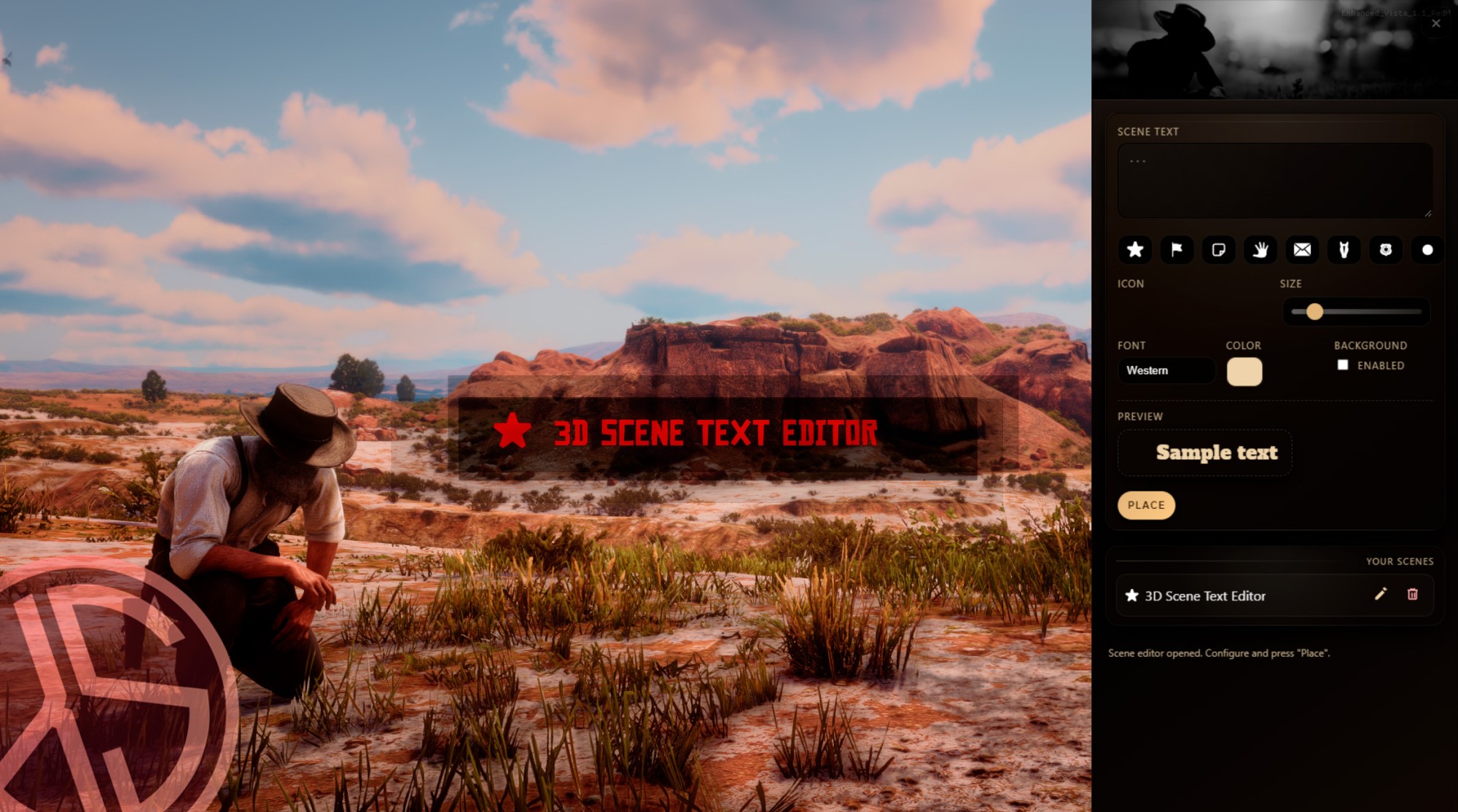
3D Scene Text Editor is a RedM script that lets you place persistent 3D text “scenes” in the world with western-style icons, perfect for roleplay: tavern signs, sheriff notices, warnings, shop labels, stage descriptions, and more. Everything is managed through a right-side NUI panel.
Persistent 3D world text: Each scene is stored in a database and automatically synced to all players when they connect.
SVG icons: Option to add an icon in front of the text
In-game editor panel: A configurable command opens a side panel where players can:
Edit scene text (max length configurable).
Select an icon from a visual palette.
Adjust font size with a slider.
Choose a font (including a western display font).
Pick text color.
Enable an optional background behind the text.
Optimized rendering and distance fade
Only nearby scenes are recalculated at configurable intervals.
Configurable draw distance and fade distance.
NUI icon overlay has throttling to avoid unnecessary performance cost.
“My Scenes” manager
Displays the list of scenes created by the player.
Edit button (change text, icon, size, background, etc.).
Reposition button to move the scene in the world.
Delete button to remove a scene.
Anti-spam and anti-troll protections
Per-player scene limit (configurable).
Minimum distance between new scenes.
Text length validation.
Permissions and administration
Players can delete their own scenes if
Config.AllowEveryoneToDeleteOwnis enabled.Configurable ACE permission
Multi-language ready: Locale system with
esandenincluded.Compatible Frameworks: VORP & RSG